Unofficial informational guide (not affiliated with Chipotle). Rewards, points, and terms can change, so always double-check inside the Chipotle app/website before you redeem.
If you order Chipotle even a couple times a month, Chipotle Rewards is one of the easiest “set it and forget it” loyalty programs: you scan (or order while logged in), earn points, and exchange them for free food.
This guide covers the latest Rewards rules, Rewards Exchange tiers, Chipotle U (student program), and the exact login + troubleshooting steps you’ll want when the app decides to be dramatic.
What is Chipotle Rewards?
Chipotle Rewards is Chipotle’s loyalty program where you earn points on qualifying purchases and then exchange those points for rewards (usually free menu items, and sometimes non-food options like merchandise or charity redemptions).
If you’re the kind of person who orders:
…Rewards is basically free value (as long as you follow the rules on qualifying purchases and exclusions).
How many points do you earn at Chipotle?
Chipotle’s main earn rate is:
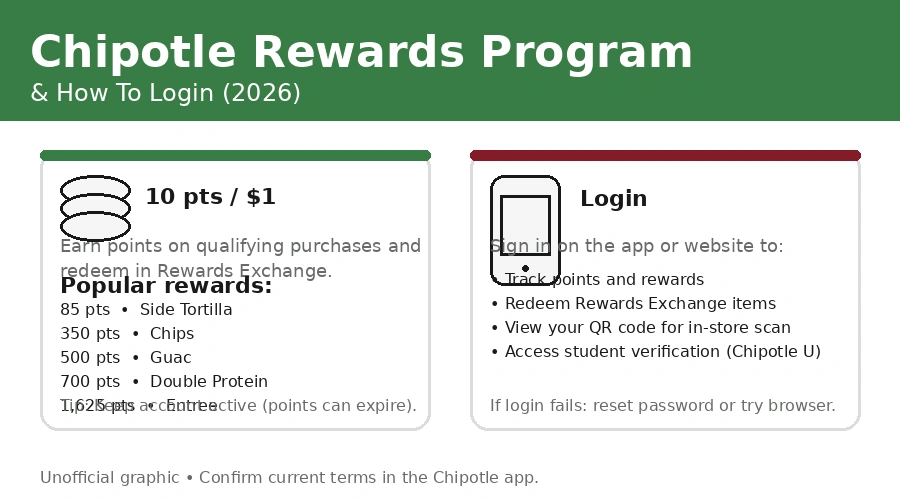
$1 = 10 points
You earn points whether you order in-restaurant, online, or in the app—as long as your purchase qualifies (more on that below).
The biggest “gotcha” with earning points
If you order online as a guest (not logged into your Rewards account), points may not be awarded.
So if you want points every time, the habit is simple:
- Always sign in before you place an order, or
- Scan your Rewards code at checkout.
Chipotle Rewards Exchange (2026): current point tiers you’ll actually see
Inside the Rewards Exchange, Chipotle lists core redemptions. The “always-on” tiers shown on the Rewards page include:
| Reward item (Rewards Exchange) | Points required |
|---|---|
| Side tortilla | 85 |
| Chips | 350 |
| Fountain drink | 400 |
| Guac | 500 |
| Double protein | 700 |
| Entree | 1,625 |
Important: Chipotle can change point requirements and benefits at any time.
That’s why the only “fully accurate” place is your app’s Rewards Exchange at the moment you redeem.
Do Chipotle points expire?
Yes—but only if your account is inactive.
- Points expire after 180 days of account inactivity (no qualifying purchases).
Do rewards expire after you redeem them?
Yes.
- Rewards typically expire 60 days after they’re added to your account, unless the reward’s description says otherwise.
Practical takeaway:
If you’re saving points for a bigger redemption (like an entrée), just make a qualifying purchase at least once every ~6 months to keep your points alive.
What counts as a “qualifying purchase” (and what doesn’t)?
Chipotle is very specific here. In plain English:
To earn points, you must:
- Use your Rewards account at checkout in-store, or
- Be logged in when ordering on Chipotle’s owned sites/apps.
Exclusions (things that don’t earn points)
Chipotle excludes a bunch of costs from the “purchase total” when calculating points, including:
- Taxes
- Tips
- Donations
- Fees (delivery fees, service fees, convenience fees, bag fees, etc.)
- Alcoholic beverages
- Gift card purchases (including activation/reloads)
Daily limit (yes, this exists)
- Each Rewards account is limited to three qualifying purchases per day.
So if you’re trying to game the system with five tiny transactions… you’ll hit a ceiling.
Do you earn points on delivery orders?
Yes—but only if you order delivery through Chipotle directly.
Chipotle states you can earn points on delivery only when you order delivery directly through the Chipotle app or on Chipotle.com.
Meaning: If you order via a third-party marketplace, your points experience may differ (and often you’ll miss out on Rewards credit).
Chipotle U (Students): 12 points per $1 + 1,000 bonus points
If you’re a college student, Chipotle has a dedicated program called Chipotle U.
Chipotle U benefits
- Earn 12 points per $1 (20% faster than standard)
- Get 1,000 bonus points after verification/enrollment
How verification works
Chipotle uses ID.me to verify student status. Chipotle states it receives your school name, expected graduation date, and school type—and no additional info.
Chipotle U signup steps (simple version)
- Log in to your Chipotle Rewards account
- Verify through ID.me on the Chipotle U flow
- Receive points once verified
If you don’t get the 1,000 points immediately, Chipotle’s own Chipotle U FAQ provides a step-by-step checklist (log in first, then verify).
How to login to Chipotle Rewards (Website + App)
Chipotle gives you two common login paths:
Option A: Login on the website
You can view/track points and rewards by logging into your account online.
Option B: Login in the Chipotle app
Chipotle explicitly describes tracking points and rewards through the mobile app as well.
Pro habit: If you order frequently, the app is the most practical place to manage Rewards (track points, see exchange options, and redeem).
Login troubleshooting (when you can’t sign in)
Here’s a real-world checklist that solves most “Chipotle login not working” situations:
Step 1: Confirm the basics
- Are you using the same email you used to enroll?
- Are you on the right account (some people have multiple emails)?
- Did you recently change your phone or reset passwords?
Step 2: Reset your password
If you forgot your password, use the password reset flow in the sign-in experience.
Step 3: Try a different platform
If the app fails:
- Try signing in on the website (or a mobile browser).
If the website fails: - Try the app.
Step 4: Student accounts (Chipotle U)
Chipotle U requires you to:
- log into your regular account first, then verify via ID.me.
Step 5: Get official support
Chipotle routes support through its official Contact Support flow (“Ask Pepper” / Contact Support).
Missing points? Not posting? Here’s how to fix it
First: wait a bit
Chipotle notes that points can take 24–48 hours to be added.
So if you ordered today, don’t panic in the first hour.
If points still don’t show up: use receipt credit rules
Chipotle’s Rewards Terms explain that Chipotle may retroactively award points (at its discretion) only upon provision of a valid receipt, and points won’t be awarded for purchases made more than 30 days prior to the request.
Also note the retroactive limits:
- no more than two purchases on one transaction date,
- two purchases within one calendar week,
- or four purchases within one calendar month.
Common reasons points don’t show up
- You checked out as a guest online (not logged in).
- Your total included fees/taxes that don’t count toward points.
- You exceeded daily purchase limits (3 qualifying purchases/day).
- You used a reward/promo in a way that reduced the eligible paid amount.
How to redeem Chipotle Rewards (without messing it up)
What happens when you redeem
When you have enough points:
- you redeem in the Rewards Exchange, and
- the reward is added to your account (some immediately, some within ~48 hours).
Then:
- the points are deducted from your balance.
The 60-day clock
Most menu-item rewards expire 60 days after they’re added.
So don’t redeem “just because you can” unless you know you’ll use it soon.
What you need at checkout
Chipotle requires a digital reward code associated with a valid Rewards account to redeem.
In practice that means:
- you’ll redeem in-app, then apply the reward to an order (online/app), or scan in-store depending on your checkout method.
FAQs
Why do Chipotle menu prices change by location?
Chipotle prices can vary because stores operate in different cost environments—rent, labor, local taxes/fees, and regional supply costs. The most reliable way to confirm your exact price is to select your location in the Chipotle app/site and build the order, because that’s the price you’ll actually pay at checkout.
Are online prices the same as in-store prices?
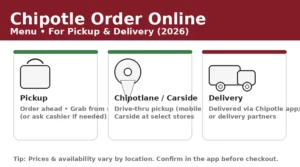
Often they’re similar, but the final “out-the-door” total can differ due to fees (delivery fee, service fee, small order fee, bag fee, etc.), plus taxes. A good habit is to compare:
- Pickup total (usually closest to in-store),
- Delivery total (often higher because of fees).
How much more does delivery usually cost compared to pickup?
Delivery cost increases typically come from fees—not necessarily the base menu price. Your total may include a delivery fee and service fee, and tipping also impacts final cost. If you’re price-sensitive, pickup is usually the cheapest way to order the same items.
What are the most common “extra cost” add-ons at Chipotle?
The most common price-increasing upgrades are:
- Guacamole
- Queso
- Double protein
- Certain premium limited-time proteins (when available)
Because pricing varies, check the add-on price directly in your store’s menu view before you commit.
What’s usually the best value: burrito, bowl, tacos, or salad?
In terms of “food volume per rupee/dollar,” bowls and burritos typically feel like the best value because they pack more in one item. Tacos can be great, but depending on local pricing they may cost more per bite. The best way to decide is to compare the base entrée price in your location and then factor in how many add-ons you normally choose.
Do toppings cost extra?
Most standard toppings do not add cost, but certain premium add-ons can. The rule of thumb:
- Standard salsas, beans, rice, fajita veggies are usually included,
- Premium add-ons (guac/queso/double protein) usually cost extra.
Confirm inside your location menu because pricing rules can be updated.
Is guacamole cheaper as a side or on an entrée?
This depends on local pricing. Some locations price “add guac” and “side of guac” similarly; others don’t. If you’re trying to optimize cost, add guac both ways in the app (without checking out) and compare line totals.
How does “double protein” pricing work?
Double protein adds an extra portion charge on top of the base entrée price. The amount varies by protein type and location. If you’re comparing value, test multiple proteins (chicken vs steak, etc.) in the app and see which upgrade gives you the best “extra protein per cost.”
Are kids meals cheaper than regular entrées?
Yes—kids meals are typically priced lower than full entrées because they’re smaller portion sets. If you’re ordering for a light eater, a kids meal can be a cost-effective option—but compare calories/portion and whether you’ll still want extra sides.
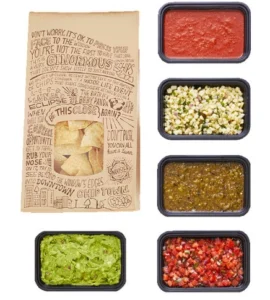
Do chips and dips cost less if bundled?
Sometimes a bundled option (like chips + guac) can be priced more attractively than separate items, but it varies by location and menu layout. The app usually shows both, so you can compare quickly without placing an order.